Kill The Shadow Controls
Keyboard, mouse, and gamepad setup for investigation, Rewind, and corkboard deduction.
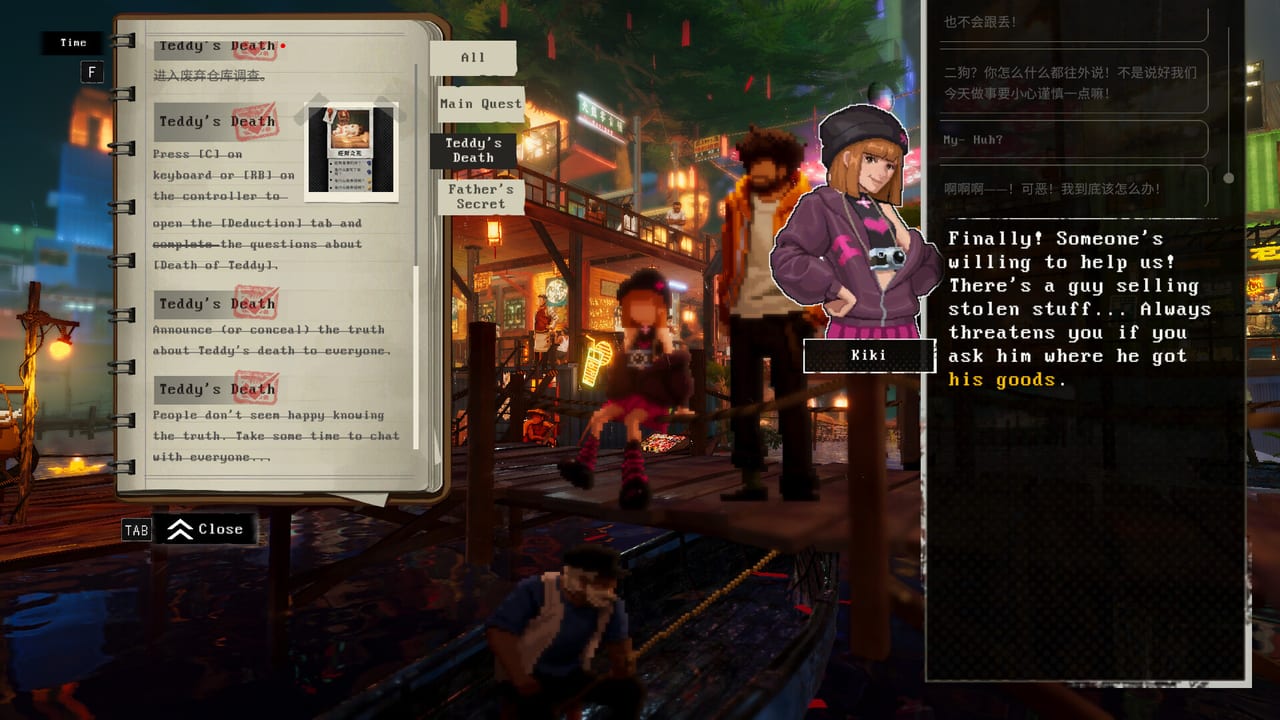
Kill The Shadow supports keyboard-and-mouse and controller play on PC via Steam, with partial DualSense features depending on your setup. Shadowlight and Phoenix Game built a detective RPG where input precision matters—not in twitch combat, but in corkboard linking, Rewind scrubbing, dialogue timing, and long sessions across Dark Tide City’s districts. A misbound key or analog stick drift can waste more time than a wrong suspect theory.
This controls hub collects binding advice, platform notes, and community-discovered tips—especially the Steam thread wisdom that corkboard navigation works best on D-pad, not analog stick—so Lucas investigates smoothly from Teddy’s case through full-release endings.
Featured control guides
Keyboard and Mouse Controls
PC players using KBM get precise cursor placement on the deduction corkboard, quick dialogue selection, and comfortable Rewind scene scrubbing. This page lists default bindings, rebinding paths through Steam Input or in-game menus where available, and habits for long interrogation chains with Captain Theo or Axel Flint.
Controller and Gamepad Controls
Controller play suits couch investigations and Steam Deck-style setups. Beyond standard movement and menu confirm, gamepad users must internalise the D-pad corkboard tip: use the D-pad to move and link evidence cards, not the left analog stick, which community posts report as imprecise or inconsistent on the board. DualSense players get partial adaptive trigger and haptic support—details on the controller page.
Why controls matter in Kill The Shadow
Three systems punish sloppy input:
Deduction corkboard — Dragging cards, drawing connections, and resolving contradictions underpins every case. See Deduction Corkboard Guide. A stick that overshoots slots adds friction that feels like game difficulty when it is actually hardware choice.
Rewind scenes — The Shadow’s reconstructions need reliable confirm/cancel and camera nudge inputs. After the demo’s Next Fest revamp, smoother Rewind flow rewards players who tested bindings early. Rewind guide explains scene goals; controls pages explain how to navigate them.
Attribute dialogue — Strength, Spirit, and Charm options appear under time pressure in some interrogations. Missing a line because confirm was on the wrong shoulder button breaks immersion and can lock content until replay. Cross-check How to Play and Build Planner so you know which options you are hunting.
KBM versus controller: quick comparison
| Task | Keyboard & mouse | Controller |
|---|---|---|
| Corkboard precision | Strong cursor control | Use D-pad, not analog stick |
| District exploration | WASD familiarity | Comfortable for long sessions |
| Rewind scrubbing | Mouse wheel / keys | Shoulder buttons / triggers |
| Menu-heavy NPC days | Fast clicking | Good with proper deadzone settings |
Neither input is officially “wrong.” Pick based on posture and desk setup; switch before hard cases, not during them.
DualSense and partial support
Steam lists Kill The Shadow with partial DualSense support—expect some adaptive trigger or haptic feedback in key moments, not guaranteed full Sony-first-party parity. If triggers feel inactive, verify Steam Input configuration and wired versus Bluetooth connection. Full PC spec context lives on System Requirements.
Setup checklist before investigating
- Run the free Steam demo to test bindings risk-free.
- Open corkboard once in a safe room; practice linking two dummy cards with your chosen input.
- Controller users: map D-pad explicitly; disable stick-as-dpad if it causes double inputs.
- Set deadzones on analog sticks even if you use D-pad on board—movement still uses sticks.
- Confirm sprint/interact keys before Shipwreck Wharf stilt segments where misinputs waste time.
- Skim Districts for dense Old Town fair scenes that stress camera turn speed.
Related wiki pages
- Guides hub — System primers assuming you can execute inputs smoothly.
- Walkthrough — Case steps that flag timing-sensitive interactions.
- Review hub — Demo performance impressions on minimum versus recommended hardware.
- Characters — Long NPC chains where control comfort reduces fatigue.
Controls are the invisible partner to Lucas and The Shadow. Configure them once, configure them right, and Dark Tide City stops fighting your hands mid-deduction.
Frequently Asked Questions
Quick answers to the most common Kill The Shadow questions.
Does Kill The Shadow support controllers on PC?
Yes. Keyboard-mouse and controller are supported on Steam. Controller users should use D-pad for corkboard navigation per community tips on the Controller page.
What is the corkboard D-pad tip?
Steam community posts recommend using the D-pad—not the analog stick—to move and link cards on the deduction corkboard for precise placement.
Is DualSense fully supported?
Steam indicates partial DualSense support. Adaptive triggers and haptics may work in some scenes but are not guaranteed across the entire game.
Can I rebind keys in Kill The Shadow?
PC players typically rebind via in-game options and Steam Input. See Keyboard and Mouse and Controller pages for workflow before long cases.
Should demo players configure controls first?
Yes. Demo Review recommends treating the free demo as a binding testbed before August 2026 full release investigations.